Sigh.. another python jail to escape.
We’re given a Python script that restricts input to only 16 characters of printable ASCII. Here’s the script:
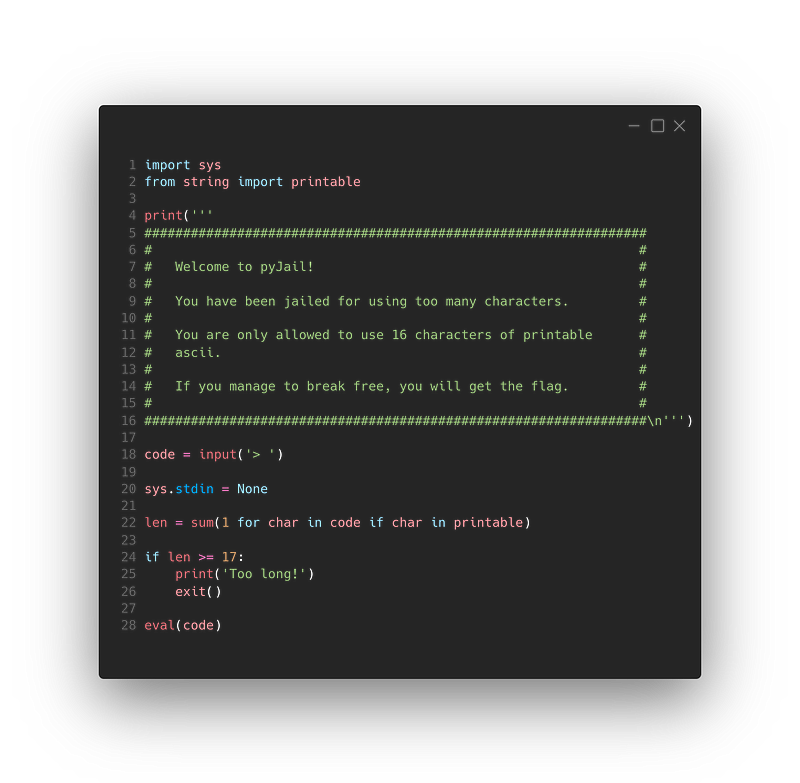
Well, a simple
1exec(input())should do the trick right?
Unfortunately, no. stdin has been set to None; running input() would give us this error:
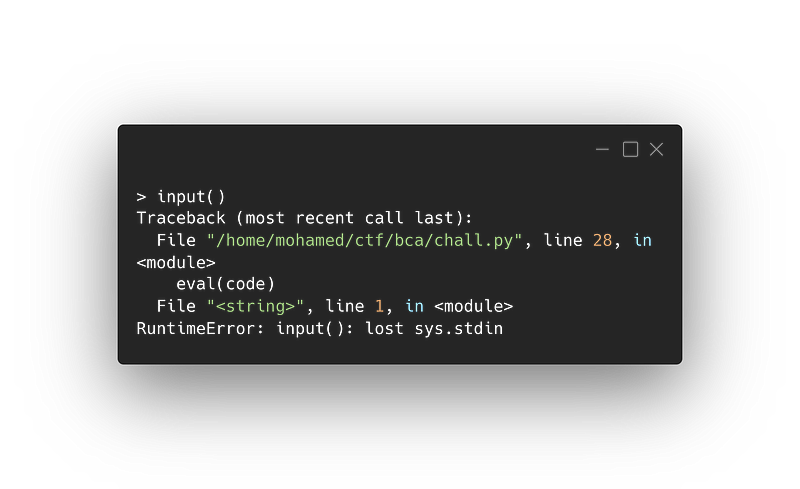
This is impossible! We can’t run
1print(open(‘flag.txt’).read())since it’s too long
Yes, it’s too long, but we can shorten it.
How?
If you look closely at how it’s calculating the length: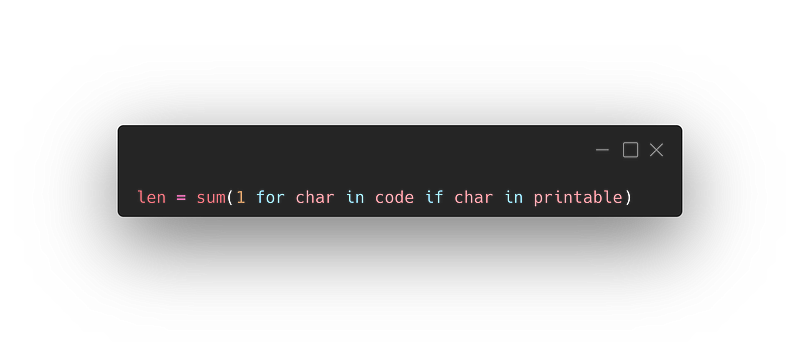
It’s only counting printable ASCII characters.
Well, duh! It literally says that at the top of the script.
We can use that to our advantage. One of Python3’s features is that it normalizes fonts; Python will interpret
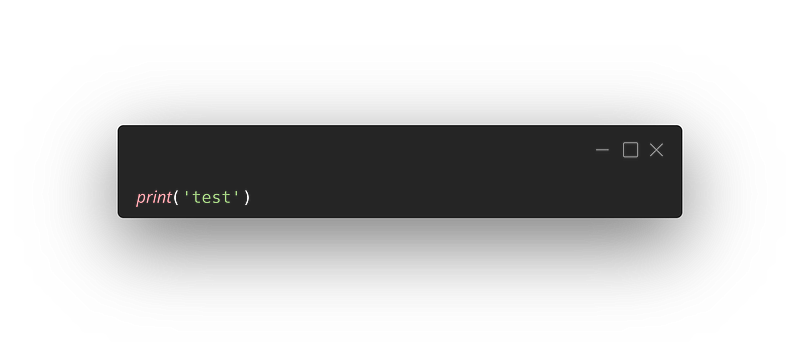
as
I assume those italic characters will not be counted in the length, because the script is only checking for ASCII.
Correct!
I ran
1𝘱𝘳𝘪𝘯𝘵(𝘰𝘱𝘦𝘯(‘flag.txt’).𝘳𝘦𝘢𝘥())it still says “Too long”
It’s important to note that the method we’ve been using does not work with parentheses and dots (as far as I know). Also, the string “flag.txt” must be written in ASCII, so the file we are trying to open is “flag.txt” and not something like “𝘧𝘭𝘢𝘨.𝘵𝘹𝘵”.
With that in mind, if you count the number of printable ASCII characters in our input, it is 17.
So what’s the plan?
I haven’t given up on the input() idea. If somehow we can set stdin back to its original value, we can run:
| |
And we’ll have no restrictions.
But how?
At the beginning of the script, the sys module is imported.
How is that useful?
A quick look at the sys module’s documentation gives us this:
sys.stdin
sys.stdout
sys.stderr
These objects contain the original values of stdin, stderr and stdout at the start of the program. They are used during finalization, and could be useful to print to the actual standard stream no matter if the sys.std* object has been redirected.
We can use sys.__stdin__ to get stdin back to its original value and call exec(input()).
I doubt this will be within our character limit.
If we use our font trick we can get it to the right size.
Oh, right!
Something like this should do it: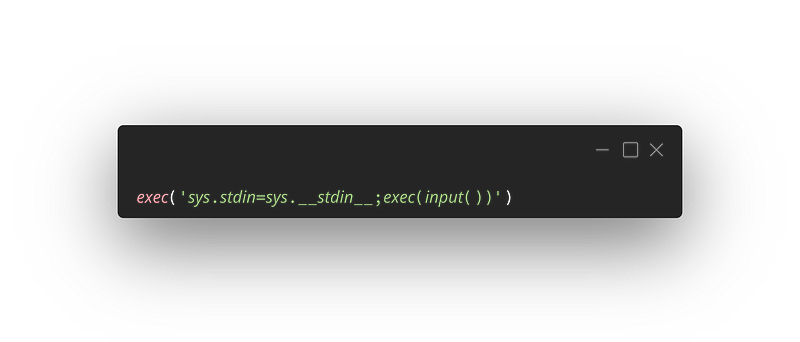
Why did you wrap everything in exec()
It’s because the eval() function doesn’t allow us to assign values to variables since it only evaluates expression, therefore I used exec() to do the job.
After running it, it seems to be stuck, I don’t see anything.
It’s not stuck. It’s waiting for you to give it input.
we can use a simple:
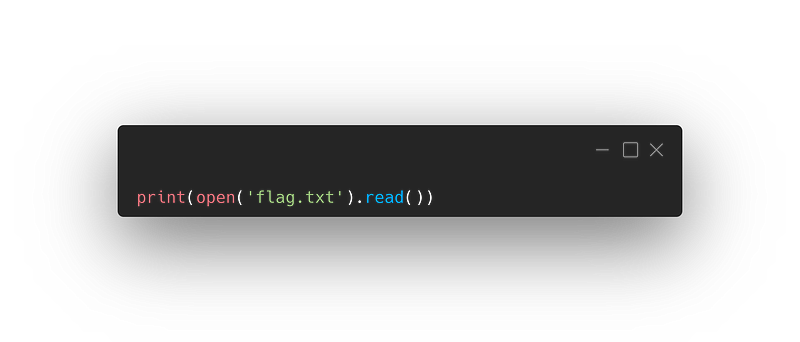
Let’s put everything together: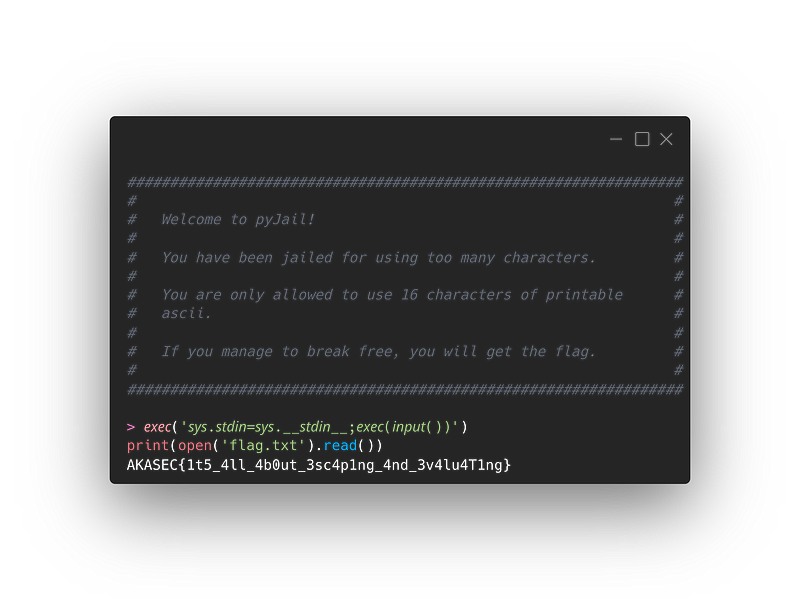
And we have our flag!
I hope you enjoyed this ride and learned something new!Nice. That was awesome!